Workflow analytics for product teams
See what drives growth, then act on it
Connect your data sources, build live dashboards in minutes and automate the follow-up. No code and no data team required.
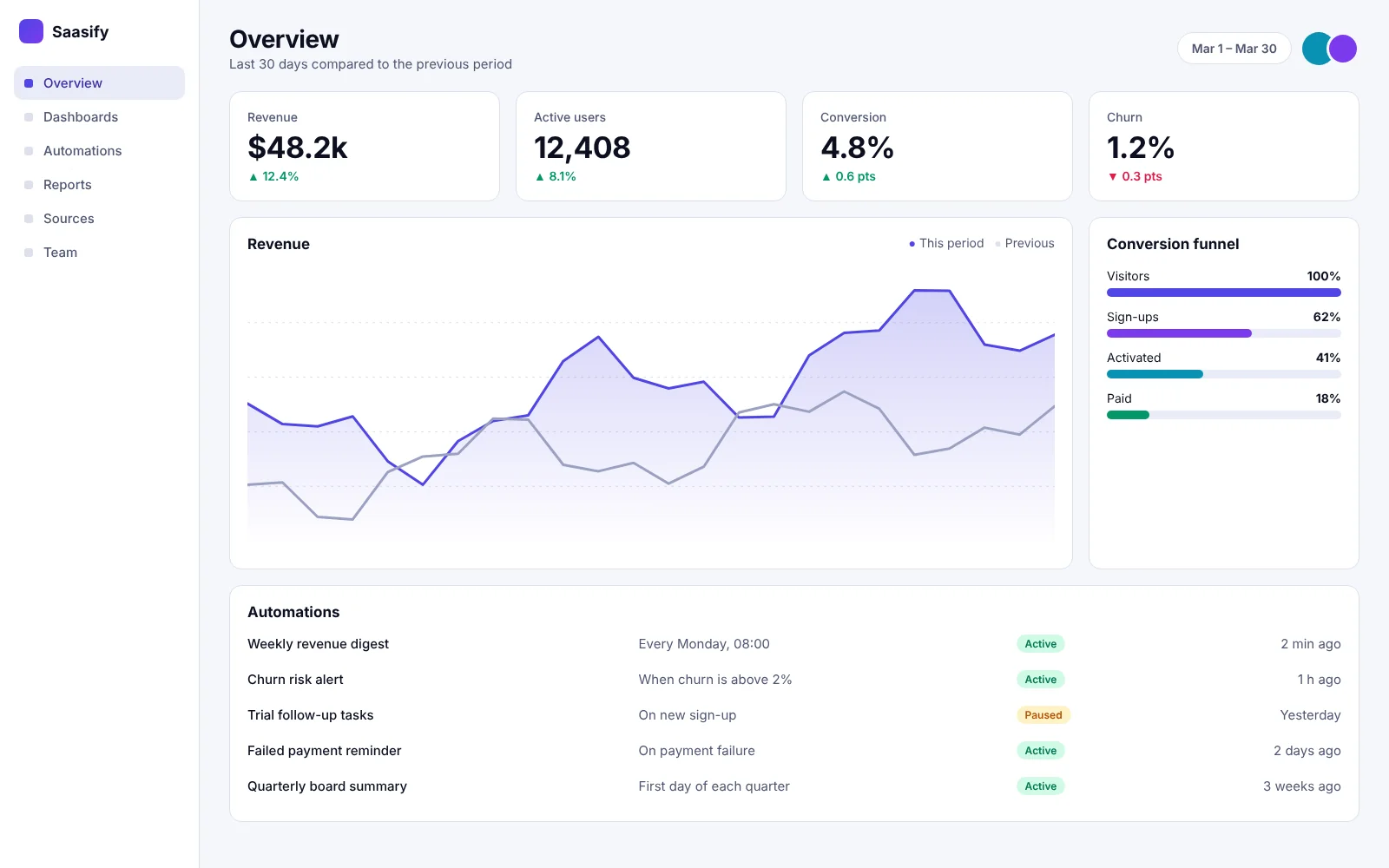
12,000+
Teams on the platform
4.2M
Workflows run each day
99.9%
Uptime target
150+
Integrations
Features
Everything the team needs in one place
Six building blocks that cover reporting, automation and collaboration.

Live dashboards
Drag in charts and tables. Every number updates as your data changes.

Workflow automation
Trigger actions from any metric. Send alerts, create tasks and update records.

One-click integrations
Connect databases, billing, support and marketing tools without writing code.

Shared workspaces
Comment on charts, assign owners and keep decisions next to the data.

Roles and audit log
Control who sees what. Review every change in a searchable history.

Scheduled reports
Send a clean summary to your inbox or channel every morning.
Analytics
Answers without waiting on a data team
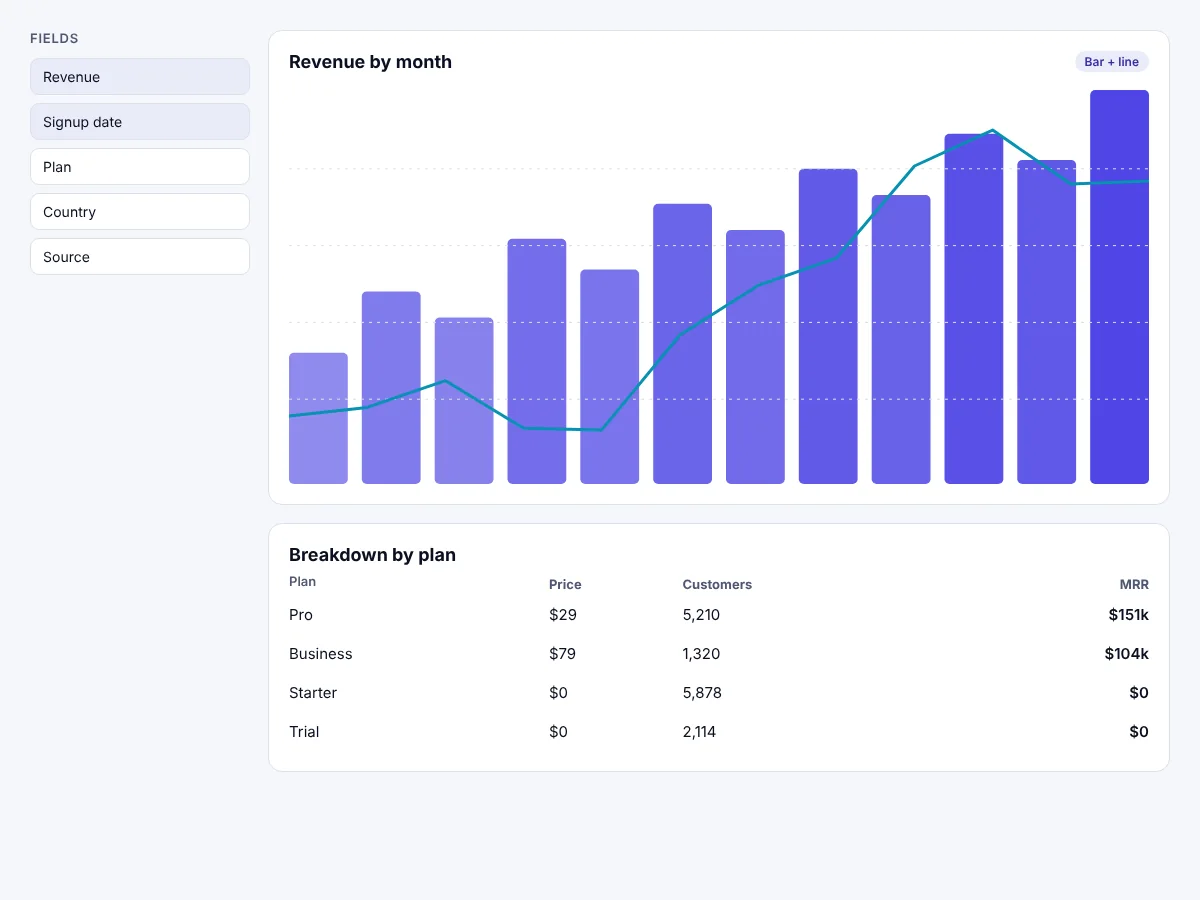
Ask a question, pick a chart and share the link. Everyone works from the same live numbers.
- Build charts from any connected source
- Filter by segment, plan or time range
- Share a view with a single link
Collaboration
Keep decisions next to the data
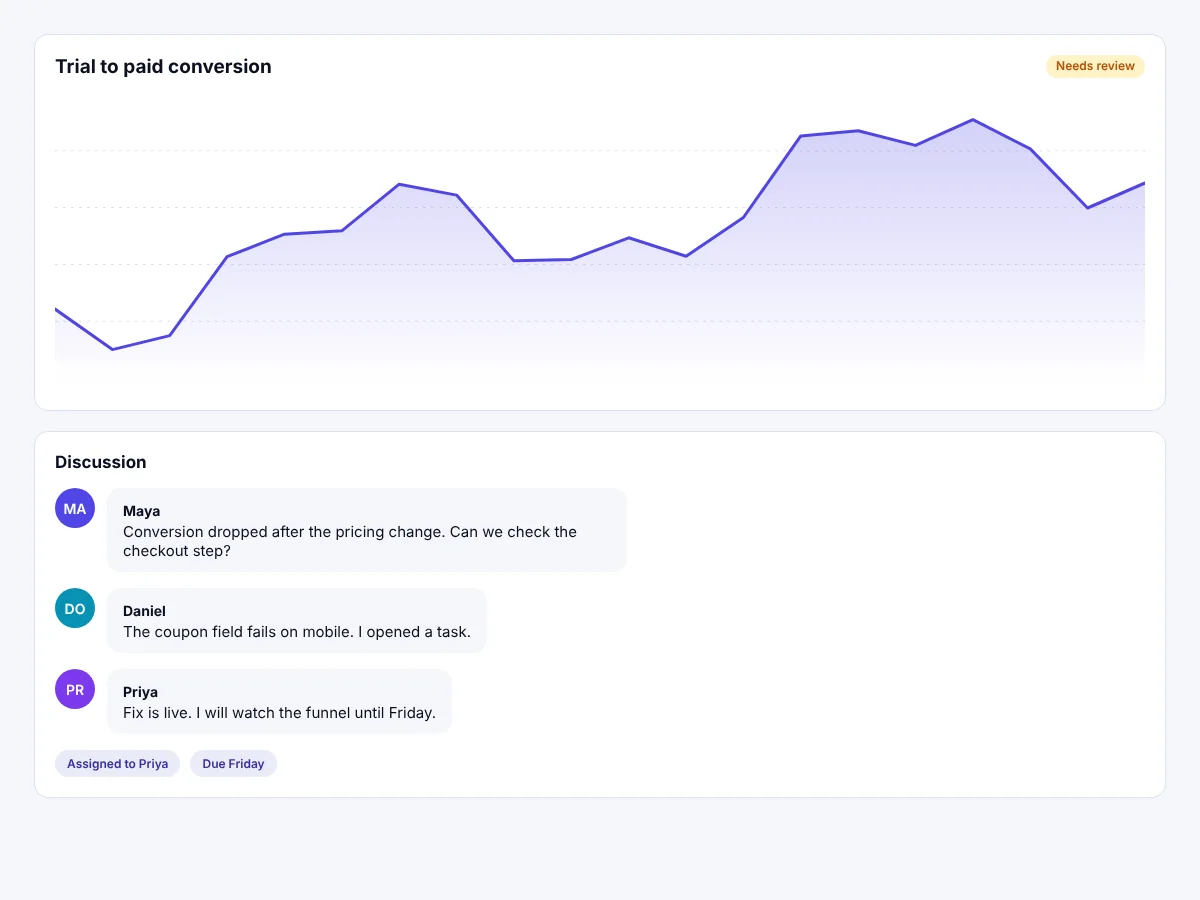
Comment on a metric, assign an owner and follow the thread until the work is done.
- Mention teammates on any chart
- Assign follow-up tasks with due dates
- Review changes in the audit log
How it works
From first connection to first report in three steps
Most teams finish setup in under an hour.
01
Connect your data
Pick a source and sign in. Saasify syncs it in the background.
02
Build your dashboard
Start from a template or drag in charts. Share it with one link.
03
Automate the follow-up
Add a rule that notifies a channel or creates a task when a metric moves.
Customers
Teams ship faster with Saasify
Sample quotes. Replace them with feedback from your own customers.
We replaced four spreadsheets and a weekly meeting with one dashboard.
Maya Lindqvist
Head of Operations, Brightpath
Setup took an afternoon. The first automation paid for the plan in a week.
Daniel Okafor
Founder, Fieldnote
Our support leads finally see the same numbers as our product managers.
Priya Raman
VP Customer Success, Lumenly
Pricing
Simple plans that grow with your team
Start free. Upgrade when you need more sources, seats or automations.
Starter
For individuals trying things out.
$ 0 / month $ 0 / year
- 3 dashboards
- 2 data sources
- Community support
Most popular
Pro
For growing teams that run on data.
$ 29 / month $ 290 / year
- Unlimited dashboards
- 10 data sources
- Workflow automation
- Email support
Business
For companies with advanced needs.
$ 79 / month $ 790 / year
- Everything in Pro
- Unlimited data sources
- Roles and audit log
- Priority support
FAQ
Questions people ask before they start
Sample answers. Replace them with your own.
Can I try Saasify before I pay?
Yes. Every paid plan starts with a free trial and the Starter plan is free without a time limit.
Do I need a developer to set it up?
No. You connect sources by signing in and build dashboards by dragging in charts.
Can I change plans later?
Yes. You can upgrade or downgrade at any time. Changes apply from the next billing period.
How do you handle security?
Data is encrypted in transit and at rest. Business plans add roles and a searchable audit log.
What happens if I cancel?
You keep read access until the end of the billing period and can export your dashboards as files.
Blog
Latest from the blog
Product news, guides and customer stories.
-
Hello world!
Welcome to WordPress. This is your first post. Edit or delete it, then start writing!
-

How to pick the first three metrics for a new dashboard
Start with one number for growth, one for retention and one for revenue. Add more only when someone asks a question the…
-

Five automations that save an hour every week
A weekly digest, a churn alert, a trial follow-up, a failed payment reminder and a quarterly summary cover most of the manual…
Start building your first dashboard today
Free for 14 days on every paid plan. No credit card required.